

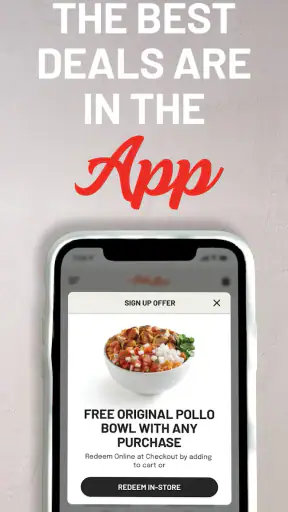
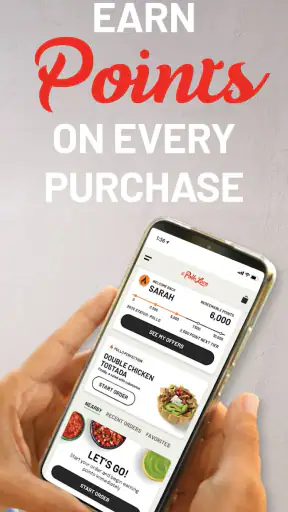
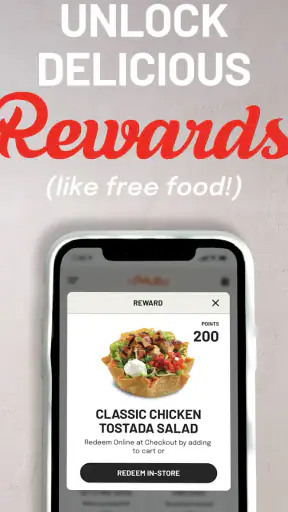
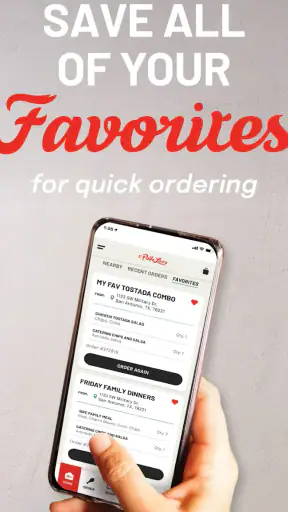
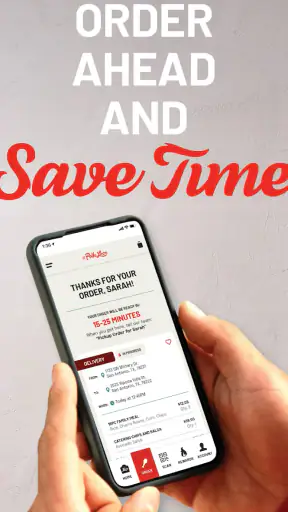
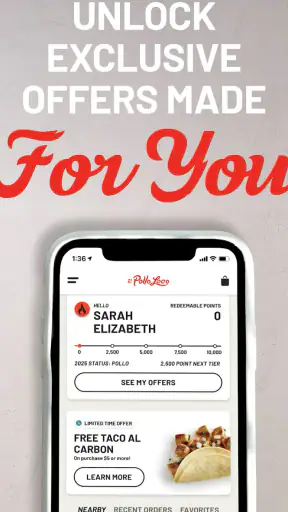
If you visit El Pollo Loco often, El Pollo Loco - Loco Rewards is the kind of Food & Drink app that can make your normal order feel a little more worthwhile. I installed it expecting a simple loyalty tool, and that is exactly where it works best: it gives you a place to earn points from qualified purchases, keep an eye on reward progress, and check news connected with the program. It is free, rated for Everyone, and comes from El Pollo Loco Developers.
My first impression was that this is not trying to replace the restaurant experience with a complicated ordering platform. Its main job is to keep the rewards side of your visits in one place. That narrow focus is useful because I did not have to sort through unrelated food content to understand why I was opening it. At the same time, anyone looking for a complete restaurant marketplace, broad delivery comparison, or a general meal-planning app should have different expectations from the start.
What to expect before you begin
The app has been available since November 16, 2016, and its current version is 4.3.0. It has passed the one-million-install mark and holds an average rating of 4.2 from around fifteen thousand ratings, with roughly four thousand six hundred written reviews. Those figures suggest that it has become a familiar companion for a substantial group of El Pollo Loco customers, rather than a short-lived promotional download.
The central idea is straightforward: qualified purchases can earn points, and the app lets you check your reward status and reward news. The word “qualified” matters in everyday use. I would not treat the app as a universal receipt tracker for every transaction connected to the brand. Before assuming that a particular purchase will count, I would look carefully at the way the app presents the transaction and the reward information. That small habit prevents disappointment later.
There is no cost to download the app, which makes trying it low-risk if El Pollo Loco is already part of your routine. The minimum operating-system requirement is version 8.0, so it is aimed at a broad range of Android devices that are not especially new. I still recommend checking your phone’s software before installing, particularly if you keep an older device for restaurant apps. Compatibility is easier to resolve before you are standing in line than after you have completed a purchase.
One thing I appreciate is the distinction between useful loyalty information and noise. The reward-status area gives you a reason to return between visits, while reward news can help you notice changes or announcements connected with the program. I would not open it expecting a deep account-management dashboard. I would open it with a more practical question: “Did my recent eligible visit move me closer to a reward, and is there anything new I should know?”
Who will get the most from it
This app makes the most sense for regular El Pollo Loco customers, people who already choose the chain for quick meals, and families where one person wants a simple way to keep track of loyalty progress. It can also suit someone who visits irregularly but wants to avoid relying on memory when checking whether a purchase contributed to rewards.
I would be less enthusiastic about it for someone who rarely eats at El Pollo Loco, dislikes maintaining separate restaurant apps, or wants one loyalty wallet covering many brands. In those cases, the value may not justify another icon on the phone. A general rewards organizer or the restaurant’s other available ordering channels may be more convenient, depending on what you actually need.
Setting it up without overthinking it
After installing, I would begin by treating setup as a short orientation rather than rushing straight into a purchase. Look for the account and rewards areas first, then identify where the app displays current reward status and where it places reward news. Knowing those two destinations matters more than memorizing every screen, because they are the places you will return to most often.
If the app asks you to sign in or create an account, use an email address you check regularly and choose details you can remember. Loyalty apps become frustrating when the account is created with an address that is rarely used, especially when a user later needs to understand why a purchase is not appearing. I also recommend keeping your account information consistent across visits rather than creating multiple profiles for different phones or family members.
A useful first setup check is to open the rewards view before you have made a new purchase. This gives you a baseline. You can see how the app presents your current position, then compare it with the status after your next qualified transaction. That simple before-and-after approach is more reliable than trying to remember a previous balance from several days earlier.
I would also spend a moment reading the reward news area instead of dismissing it immediately. News is easy to overlook because it does not feel as urgent as a points balance, but it may explain changes in the way the program communicates offers or rewards. The practical tip here is to check news when you notice something that looks different in your reward status. It can provide context before you assume the app has lost your progress.
Because this is a focused loyalty app, the setup should not be judged by how many extras it offers. The important question is whether you can reach your reward status quickly and understand what the app is showing. If those screens are clear on your phone, the initial effort is modest. If you need a broader restaurant tool, however, setup will not transform this into one; the app remains centered on El Pollo Loco’s rewards experience.
Making the first useful check
The first meaningful success is not simply opening the app. It is completing a purchase that the program recognizes and then confirming that the reward status reflects it. I would make this a deliberate test during a visit: open the app before ordering, make sure I am using the intended account, complete the purchase through the normal qualified process, and return afterward to inspect the reward area.
That sequence is more helpful than waiting several visits and then wondering whether everything worked. It gives you a clear reference point and teaches you how quickly the app communicates progress. I would avoid closing the loop with assumptions. Seeing a receipt or completing a payment does not automatically tell me how the loyalty system will display the result, so I would verify the status inside the app.
A second practical workflow is to check the app before deciding where to eat. If you are already considering El Pollo Loco, a quick look at your reward status and current news can help you decide whether this is a good time to use the program. This does not mean every visit should be planned around points. It simply turns the app into a small decision aid rather than something you remember only after the meal.
Here is a realistic scenario. Imagine I am picking up dinner after work and normally would not bother tracking a single purchase. I open the app before leaving, confirm the account, make the qualified purchase, and check the reward status once I am back in the car or at home. If the progress is visible, I know the basic workflow works for me. On later visits, the process takes less thought because I already know where to look.
For households, I would agree on one account strategy before using the program. If several people make purchases but everyone uses separate accounts, progress can become scattered. If one person manages the rewards account, that person should be the one who checks the status and reward news. The app itself is not a substitute for a household plan; deciding who owns the loyalty activity can prevent confusion.
Where new users can get confused
The biggest potential misunderstanding is assuming that every purchase automatically produces the same result. The program refers to qualified purchases, so I would pay attention to how each transaction is recorded rather than treating the app as a passive counter that never needs checking. If a purchase does not appear as expected, first review whether the correct account was active and whether the transaction followed the program’s qualifying path.
Another common mistake is checking only the reward balance and ignoring reward news. A balance tells you where you stand, but news may explain what is currently relevant to the program. I see the two areas as complementary: status answers “where am I?” while news answers “what should I know right now?” Looking at both is a better routine than repeatedly refreshing one screen.
It is also easy to confuse the app’s loyalty purpose with a full digital ordering service. If I need to compare restaurants, plan several meals, or manage a broad delivery order, this would not be my first choice. Its strength is the connection between El Pollo Loco purchases and reward tracking. Expecting it to behave like a general food marketplace would make the experience seem limited, even though that limitation is part of its focus.
Notifications and updates can create a different kind of uncertainty. I would not rely on a notification alone to understand my reward position. When something important changes, I prefer opening the app and reading the relevant status or news directly. That extra step reduces the chance of acting on a short message without seeing the surrounding details.
There is also a behavioral trap: checking points so often that the app becomes work. I would use it at three sensible moments—before a planned visit, after a qualified purchase, and when reward news appears relevant. That rhythm keeps the app useful without turning a quick meal into an administrative task.
How it compares with the usual alternatives
Compared with carrying a paper receipt and trying to remember visits, the app has a clear advantage: it gives me a dedicated place to inspect reward status and program news. Compared with a general loyalty wallet, it is more specialized. A wallet may keep several memberships together, while this app gives El Pollo Loco’s rewards information its own space and makes that specific program easier to revisit.
Compared with a restaurant ordering app, the comparison depends on your goal. If my priority is placing an order or arranging food, I would choose the tool that handles that task most directly. If my priority is understanding progress from qualified El Pollo Loco purchases, the dedicated rewards app is the more natural fit. I would not install it as a replacement for every other food app; I would install it for the loyalty function.
The trade-off is convenience versus concentration. A dedicated app can make one brand’s rewards easier to find, but it also adds another app to maintain. Someone who eats at many chains may prefer fewer applications, even if that means the loyalty details are less specialized. Someone who returns to El Pollo Loco regularly may find that the focused design is worth the extra space and occasional check-in.
My next-step recommendation
After the first successful purchase check, I would keep the app only if it changes my routine in a useful way. For me, that means I can quickly confirm progress, understand relevant reward news, and avoid guessing whether a qualified visit counted. If those three things happen without friction, the app earns a place on the phone.
I would use it as a lightweight companion rather than a constant promotion feed. Open it before a planned visit, confirm the account, complete the purchase through the qualifying process, and check the result afterward. That workflow gives the app a clear purpose and makes it easier to notice a problem while the transaction is still fresh.
The app is free and suitable for Everyone, so there is little barrier to testing it. Its 4.2 average and broad install base also make it look established enough to try, while the developer, El Pollo Loco Developers, keeps the experience tied directly to the restaurant brand. Still, popularity does not remove the need to check your own experience: if you visit rarely or dislike brand-specific apps, the benefit may be too small.
My honest recommendation is simple: install it if El Pollo Loco is already one of your regular meal stops and you want a clearer view of loyalty progress. Start with one controlled purchase, verify the status afterward, and read the reward news when something changes. Skip it if you are searching for a universal food app or a complete ordering solution. Used for what it actually does, it is a practical, focused way to stay connected with El Pollo Loco rewards without making the process more complicated than it needs to be.


